
After downloading a micro-python file from here
https://micropython.org/download/ESP32_GENERIC_S3
ESP32_GENERIC_S3-20251209-v1.27.0.binand renaming it and placing it on the Desktop as
micro-python.binIn a BAT file or using CMD
python -m esptool --chip esp32s3 --port COM3 erase-flash
python -m esptool --chip esp32s3 --port COM3 write-flash -z 0x0 Desktop\AtomS3U\micro-python.binNow open in PuTTY
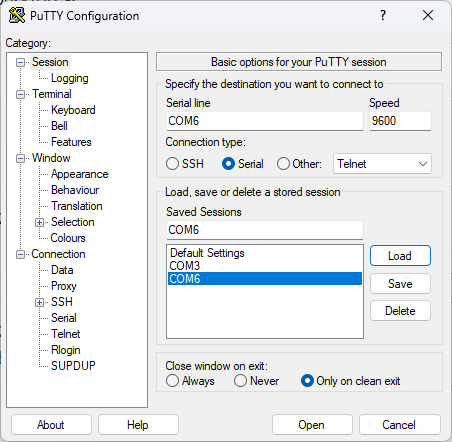
and we should see the Python REPL (Read–Eval–Print Loop) prompt >>>
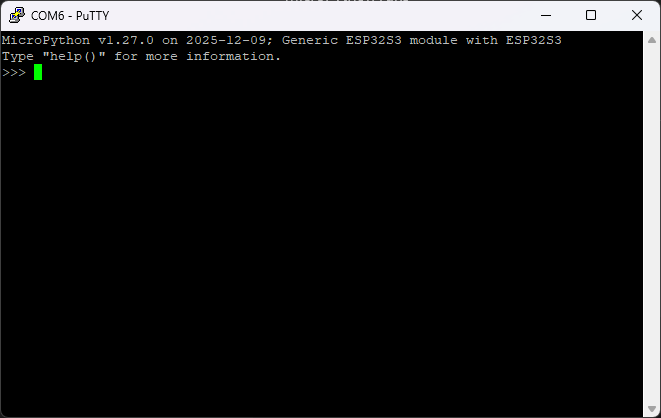
Can now test with a simple typing program
import time

i = 0
while True:
    print("count:", i)
    i += 1
    time.sleep(1)